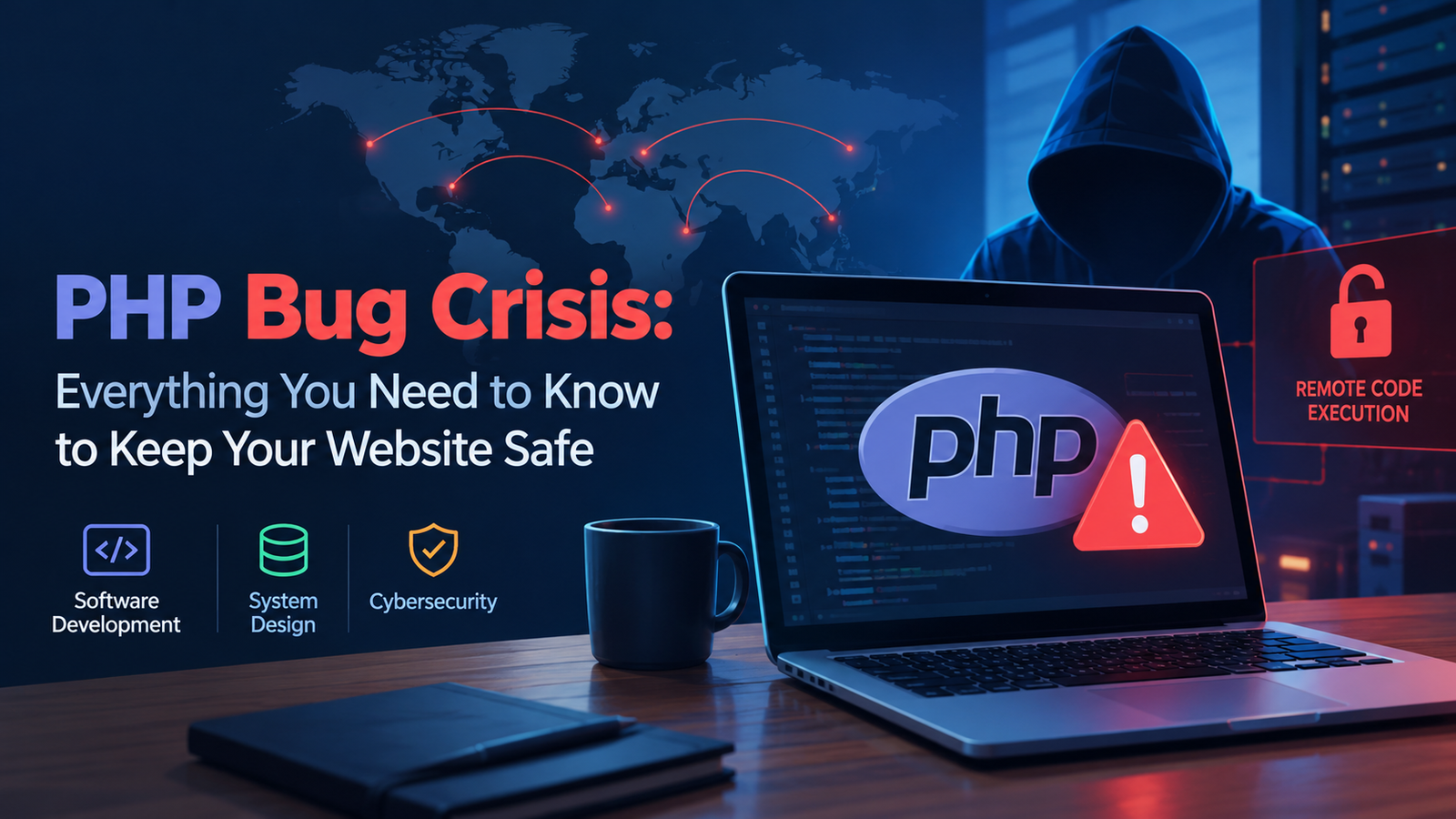
PHP Bug Crisis: Everything You Need to Know to Keep Your Website Safe
A critical PHP vulnerability has put websites worldwide at risk. Learn what happened, which systems are affected, how to patch your PHP installation, and what every developer and website owner should do to stay secure.
 Shanaya Saxena
14 min read
Shanaya Saxena
14 min read
Introduction
PHP powers a significant portion of the internet. From WordPress blogs and e-commerce stores to enterprise applications and government websites, millions of websites rely on PHP to process requests, interact with databases, and deliver dynamic content.
However, on October 21, 2026, security researchers disclosed two critical vulnerabilities in PHP that could allow unauthenticated attackers to execute code remotely on vulnerable servers. The vulnerabilities, commonly referred to as PHP2Shell, triggered urgent security advisories and emergency patching efforts across the technology industry.
The situation demonstrated how a security flaw in a foundational technology can become a serious problem for organizations worldwide. Even websites with secure application code can be exposed when the underlying runtime has a critical vulnerability.
For developers, DevOps engineers, system administrators, and technology leaders, this incident raises an important question:
How do you protect your website when the problem lies beneath your application code?
Let’s explore the incident, its potential impact, and the steps you should take to keep your website secure.
1. What Is the PHP Bug Crisis?
The PHP security crisis involves two critical vulnerabilities identified as:
- CVE-2026-109618
- CVE-2026-109619
These vulnerabilities affect PHP’s core engine, which processes PHP code and handles incoming requests.
The first vulnerability involves an out-of-memory condition that can leave internal request data in an inconsistent state. The second involves stale internal state that can refer to memory that has already been released.
Under certain conditions, these memory-safety failures can potentially be exploited to execute arbitrary code on a vulnerable server without authentication.
In practical terms, an attacker may not need a legitimate account or an existing application vulnerability to attack an exposed PHP installation.
This is what makes the issue particularly serious.
Why Is It Different From a Normal Application Bug?
Consider a typical Laravel application with a vulnerable controller. A developer might fix the issue by validating input, correcting authorization rules, or updating a dependency.
A vulnerability in the PHP runtime is different.
PHP executes the application itself. If the runtime contains a critical flaw, the application may be exposed even when its own business logic is implemented correctly.
This means developers cannot solve the problem simply by editing a controller, adding validation, or changing a few lines of application code. The underlying PHP installation must be updated to a version containing the security fix.
2. Why Did the Vulnerability Affect So Many Websites?
PHP is widely used across the web. It supports content management systems, online stores, publishing platforms, enterprise applications, and custom software.
Popular PHP-based technologies include:
- WordPress
- Laravel
- Drupal
- Joomla
- MediaWiki
A vulnerability in the PHP engine can therefore affect applications built by completely different development teams.
Imagine thousands of businesses running different websites, all using a vulnerable version of PHP. Their designs, databases, and application logic may be unrelated, but they share the same underlying risk.
This is an example of a shared dependency problem.
A single weakness in a widely deployed component can create a much larger security challenge than a vulnerability confined to one application.
Why Were Some Websites Taken Offline?
When a critical vulnerability is publicly disclosed, organizations must determine whether their systems are exposed and how quickly they can apply a fix.
If a vulnerable server is publicly accessible and a reliable patch cannot be deployed immediately, temporarily restricting access may be the safest option.
An intentional shutdown can prevent attackers from exploiting a vulnerable system while the organization prepares a secure recovery.
It is important to distinguish between a website being taken offline as a precaution and a website being confirmed as compromised. An outage alone does not prove that an attack succeeded.
3. Which PHP Versions Are Affected?
The October 2026 security advisories identify the following fixed releases for the two critical vulnerabilities.
| PHP branch | Fixed release |
|---|---|
| PHP 8.5 | 8.5.12 |
| PHP 8.4 | 8.4.27 |
| PHP 8.3 | 8.3.36 |
| PHP 8.2 | 8.2.35 |
Install the appropriate patched release for your branch, or a later supported release that includes the fixes.
PHP 8.1 and older branches also require attention. These versions are no longer supported by the main PHP project, although some operating-system vendors may provide security backports.
If you are running an older version, contact your hosting provider or distribution vendor to confirm whether a security fix is available. Otherwise, plan an upgrade to a supported PHP branch.
Do not assume that an installation is safe simply because it uses PHP 8 or because the version number looks recent.
The exact installed build and the security fixes it contains matter.
4. How to Check Your PHP Version
Before making any changes, identify the PHP version running on your server.
Open a terminal and execute:
php -vThis displays the PHP version used by the command-line interface.
You can also inspect the loaded configuration:
php --iniHowever, there is an important limitation: the command-line PHP installation may differ from the PHP runtime serving your website.
For PHP-FPM deployments, identify the active service:
systemctl list-units --type=service | grep -i phpFor Docker-based applications, inspect the running container:
docker ps
docker exec <container_name> php -v
Replace <container_name> with the name or identifier of your container.
If you use shared hosting, a hosting control panel, or a managed cloud service, check the PHP version configured for the actual website rather than relying exclusively on a local terminal.
You should also inventory PHP installations used by background workers, scheduled jobs, and other services connected to your application.
5. How to Fix the PHP Vulnerability
The most important remediation step is to install a verified security update.
Step 1: Back Up Your Application
Before deploying an emergency update, ensure you have appropriate backups of your application files, database, and relevant configuration.
Verify that the backups are usable and that you can restore the application if the deployment introduces compatibility problems.
Do not delay an urgent security fix unnecessarily, but do follow a controlled recovery plan.
Step 2: Update PHP
On a Debian- or Ubuntu-based server, inspect the installed package and available updates:
apt-cache policy php-fpm
sudo apt update
apt list --upgradable 2>/dev/null | grep -E '^php'
The exact package names depend on your PHP version and repository configuration.
Once you have confirmed the correct security-fixed package, apply the update through your normal package-management process. For example:
sudo apt install --only-upgrade php-fpmThis is an illustrative command. It may not update every PHP component installed on your system, so confirm that the relevant interpreter, extensions, and web-serving runtime have all been remediated.
If you installed PHP from a custom repository, compiled it from source, or use a hosting provider’s managed packages, follow the appropriate vendor instructions.
Step 3: Restart the Relevant Services
After updating PHP, restart or reload the relevant services when required by your package and deployment instructions.
For a PHP-FPM installation, the service name may include a version number, such as php8.3-fpm.
For example:
sudo systemctl restart php8.3-fpmUse the service name appropriate to your environment. Do not blindly run this command on every server.
Ensure that old PHP workers are no longer serving requests and that the web server is using the updated runtime.
Step 4: Verify the Fix
After deployment, confirm that the installed PHP build contains the security patch.
Then test:
- Homepage and important application routes.
- Login and authentication.
- Database connectivity.
- File uploads and downloads.
- API endpoints.
- Background jobs and scheduled tasks.
- Application logs and error rates.
A successful website response is not sufficient proof that the vulnerability has been fixed. You must verify the actual runtime and package version.
6. What If You Cannot Update PHP Immediately?
Sometimes an application depends on an older PHP version, or an organization cannot deploy a fix immediately because of compatibility or operational constraints.
In such cases, reduce exposure while preparing remediation.
Consider the following measures:
Restrict public access. If the affected application does not need to be publicly accessible, limit access to trusted networks or authorized users.
Use verified security controls. A properly configured web application firewall may provide some protection, but only rely on rules that are relevant to the specific vulnerability.
Isolate affected systems. Limit the PHP service’s access to databases, internal services, cloud credentials, and other sensitive resources.
Disable unnecessary functionality. Only disable features when there is credible technical guidance showing that the change mitigates a relevant attack path.
Take the system offline if necessary. If the risk cannot be adequately reduced, temporarily shutting down the vulnerable service may be the safest option.
These are temporary risk-reduction measures, not substitutes for installing the security fix.
Do not assume that changing a single PHP configuration setting makes the two critical vulnerabilities fully resolved. The PHP security team identifies updating to a fixed release as the complete remediation for these flaws.
7. What Should You Do If Your Website Is Already Down?
If your website becomes unavailable during a security incident, avoid immediately restarting every service or rolling back to an older version.
First, determine what caused the outage.
A website may be unavailable because of a precautionary shutdown, an unsuccessful PHP update, a failed service restart, a database issue, or a potential security compromise.
Follow This Incident Response Process
Step 1: Confirm the impact
Identify which websites, APIs, background jobs, and business functions are affected. Assign an incident lead and record the start time.
Step 2: Determine whether there is a security risk
Check the vulnerability advisory, installed PHP version, recent deployment history, and relevant security alerts.
If compromise is plausible, restrict exposure while preserving the evidence needed for investigation.
Step 3: Preserve logs and evidence
Collect relevant web-server logs, PHP-FPM logs, operating-system authentication logs, application logs, and security alerts.
Avoid deleting files or rebuilding systems before collecting important evidence, unless immediate containment requires it.
Step 4: Patch or mitigate the vulnerability
Apply the verified security update and confirm that the web-serving runtime is using the fixed build.
If patching is temporarily impossible, follow the incident team’s containment plan.
Step 5: Test before restoring traffic
Check application functionality, database connectivity, authentication, integrations, and security monitoring.
Restore public access only after the system has been adequately secured and validated.
Step 6: Communicate clearly
Keep internal stakeholders informed. If customers are affected, provide accurate information about service availability and recovery progress without speculating about the cause or extent of a compromise.
8. What If Hackers Have Already Exploited the Vulnerability?
Patching prevents exploitation through the fixed vulnerability, but it does not automatically remove access that an attacker may already have established.
If you suspect a compromise, treat the incident as more than a routine software update.
Review logs and system activity for:
- Unexpected processes launched by PHP workers.
- Suspicious outbound network connections.
- Unfamiliar accounts or changes to permissions.
- Unexpected modifications to application files.
- Unusual authentication events.
- Unauthorized access to databases or cloud services.
- Unexpected scheduled tasks or persistent services.
These indicators may warrant investigation, but no single indicator proves that a server has been compromised.
If exploitation is confirmed or cannot reasonably be ruled out, consider rebuilding the affected system from a trusted image, restoring verified backups, and investigating whether the attacker reached other systems.
Rotate Potentially Exposed Credentials
Identify secrets that the affected PHP process could access, including:
- Database passwords.
- API tokens.
- Cloud credentials.
- Deployment credentials.
- Session-signing secrets.
- Application encryption keys.
Rotate potentially exposed credentials from a trusted environment, revoke the old credentials, and investigate related access.
For Laravel applications, be particularly careful with the APP_KEY. Replacing it without a migration plan can invalidate sessions and make existing encrypted data unreadable.
If an attacker obtained privileged access, patching alone is not enough. You must establish that the system is trustworthy before returning it to production.
9. How to Protect Laravel and WordPress Websites
The PHP incident is especially relevant to teams maintaining popular PHP frameworks and content management systems.
Laravel Applications
For Laravel, focus on the PHP runtime and the complete application environment.
- Update the PHP runtime to a security-fixed release.
- Verify the PHP-FPM version used by web requests.
- Check queue workers and scheduled tasks.
- Update vulnerable dependencies where applicable.
- Test authentication, uploads, APIs, and database operations.
- Review application logs for suspicious activity.
- Investigate whether
.envsecrets or other credentials may have been exposed.
Changing Laravel configuration, clearing the cache, or editing controllers does not fix a vulnerability in the PHP engine.
WordPress Websites
WordPress administrators should:
- Confirm that the hosting provider has updated PHP.
- Update WordPress core, themes, and plugins as appropriate.
- Review administrator accounts and recent authentication activity.
- Inspect unexpected file changes.
- Check for suspicious scheduled tasks and plugins.
- Confirm that backups can be restored.
Updating WordPress alone does not patch an affected PHP runtime. Both layers must be secured.
Docker and Kubernetes Deployments
For containerized environments, update the PHP base image to a verified fixed release, rebuild the image, scan it, and deploy through the normal release pipeline.
Do not assume that updating the host operating system automatically updates PHP inside every container.
Inventory all workloads, including old deployments, background workers, and images that may still be running in production.
10. How Organizations Can Prevent the Next Security Crisis
No organization can eliminate every upstream vulnerability. However, it can prepare for vulnerabilities before they become emergencies.
Maintain a Software Inventory
Track PHP versions, extensions, application dependencies, container images, and system owners.
Without a reliable inventory, teams may overlook a forgotten website or an old container that remains exposed.
Automate Vulnerability Detection
Integrate vulnerability scanning into development and deployment workflows.
Establish an emergency patch process for critical vulnerabilities that allows teams to move quickly without abandoning essential testing and accountability.
Apply the Principle of Least Privilege
PHP applications should run with only the permissions they require.
Avoid giving web-server processes unnecessary administrative privileges. Restrict their access to sensitive files, credentials, databases, and internal services.
Improve Monitoring
Centralize logs and monitor unusual process execution, suspicious network traffic, unauthorized file changes, and unexpected authentication events.
The earlier a compromise is detected, the greater the opportunity to contain its impact.
Prepare for Downtime
Maintain tested backups, recovery procedures, clear escalation paths, and a communication plan.
For critical applications, consider read-only modes, alternate service paths, or carefully designed failover mechanisms where they can be implemented without exposing the vulnerable component.
Rehearse Incident Response
Conduct exercises that simulate a critical PHP vulnerability, compromised credentials, or a failed emergency deployment.
Make sure developers, DevOps engineers, security professionals, and business stakeholders understand their responsibilities before a real incident occurs.
11. Lessons for Developers and Future CTOs
The PHP bug crisis highlights several important lessons for technology leaders.
Security extends beyond application code. Your application inherits risks from its runtime, operating system, libraries, and deployment infrastructure.
Patch speed matters. Measure how quickly your organization identifies exposed systems, applies fixes, and verifies remediation.
Availability is not the only objective. Keeping a vulnerable service online can be more damaging than a carefully managed temporary outage.
Incident response must be practiced. Documentation is useful, but teams must also be able to execute the plan under pressure.
Ownership must be clear. Someone needs the authority to restrict traffic, approve emergency changes, coordinate investigation, and authorize recovery.
For future CTOs, the most important takeaway is that engineering leadership involves managing the entire lifecycle of a system—from design and deployment to monitoring, security, and recovery.
Frequently Asked Questions
Is PHP itself unsafe?
No programming language is immune to security vulnerabilities. PHP remains widely used, and its security depends on maintaining supported versions, applying security fixes, and deploying applications responsibly.
Can updating WordPress fix the PHP vulnerability?
No. Updating WordPress is important, but a vulnerability in the PHP runtime requires an appropriate PHP security update as well.
Does a web application firewall completely protect my website?
No. A WAF can reduce exposure to some attacks, but it should not be treated as a complete fix for a critical runtime vulnerability.
Should I take my website offline?
If your website runs a vulnerable PHP version and you cannot patch or adequately mitigate the risk, restricting access or temporarily taking the service offline may be necessary.
How do I know if my website has been hacked?
Review security alerts, logs, processes, files, accounts, and network activity. The absence of obvious indicators does not guarantee that a system is clean. Seek specialist incident-response assistance if you suspect a serious compromise.
What is the most important action to take now?
Identify every PHP installation in your environment, verify whether it is affected, and apply the appropriate security update. Then investigate potential compromise where warranted.
Conclusion
The PHP bug crisis is a reminder that a vulnerability in a widely used software component can create security and availability challenges across the web.
For website owners, the immediate priority is to verify the PHP runtime and apply the appropriate security fix. For developers and system administrators, it is to validate the complete deployment, investigate suspicious activity, and ensure that systems are restored safely. For technology leaders, it is to build an organization capable of responding quickly and confidently when foundational technologies are threatened.
The next major vulnerability may affect another programming language, library, or infrastructure component. The organizations best prepared for it will be those that know what they run, understand their exposure, and have a tested plan for patching and recovery.
Your website’s security is not determined only by the code you write. It also depends on the software you trust, the systems you maintain, and how quickly you respond when something goes wrong.

Shanaya Saxena
Empowering Developers with Years of Coding Experience